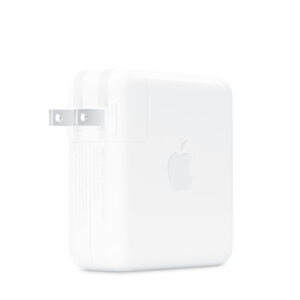
The 140W USB-C Power Adapter offers quick, efficient charging at home, in the office, or on the go. It’s compatible with numerous USB-C devices and charging cables. Apple recommends pairing it with a 16-inch MacBook Pro (2021 or later) using a USB-C to MagSafe 3 Cable or USB-C Charge Cable to take advantage of fast charging, for up to a 50 percent charge in around 30 minutes.**
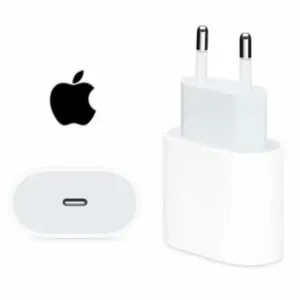
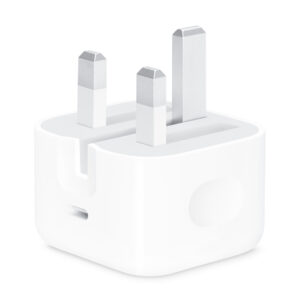
The Apple 20W USB‑C Power Adapter offers fast, efficient charging at home, in the office or on the go. Pair it with iPhone 8 or later for fast charging — up to 50 per cent battery in around 35 minutes.¹ Or pair it with the iPad Pro and iPad Air for optimal charging performance. You can also pair it with iPhone 8 or later to take advantage of the fast-charging feature.
The Apple 20W USB‑C Power Adapter offers fast, efficient charging at home, in the office, or on the go. Pair it with iPhone 8 or later for fast charging — 50 percent battery in around 35 minutes.¹ Or pair it with the iPad Pro and iPad Air for optimal charging performance. Compatible with any USB-C enabled device.
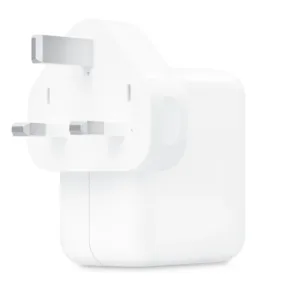
The 30W USB‑C Power Adapter offers fast, efficient charging at home, in the office or on the go. While the power adapter is compatible with any USB‑C device, Apple recommends using it with MacBook Air and Apple Vision Pro. You can also use it with selected iPhone and iPad Pro models to take advantage of the fast-charging feature.
The 70W USB-C Power Adapter offers quick, efficient charging at home, in the office, or on the go. It’s compatible with numerous USB-C devices and charging cables. Apple recommends pairing it with a 14-inch MacBook Pro or a 13-inch or 15-inch MacBook Air using a USB-C to MagSafe 3 Cable or USB-C Charge Cable. Use it with MacBook Air (2022 and later) to take advantage of fast charging, for up to a 50 percent charge in around 30 minutes.**
The 70W USB-C Power Adapter offers quick, efficient charging at home, in the office, or on the go. It’s compatible with numerous USB-C devices and charging cables. Apple recommends pairing it with a 14-inch MacBook Pro or a 13-inch or 15-inch MacBook Air using a USB-C to MagSafe 3 Cable or USB-C Charge Cable. Use it with MacBook Air (2022 and later) to take advantage of fast charging, for up to a 50 percent charge in around 30 minutes.**
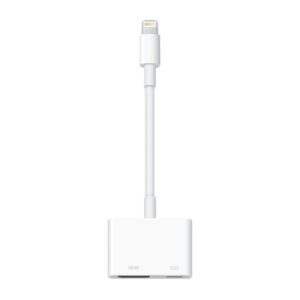
Use the Lightning Digital AV Adapter with your iPhone, iPad, or iPod with Lightning connector. The Lightning Digital AV Adapter supports mirroring of what is displayed on your device screen — including apps, presentations, websites, slideshows, and more — to your HDMI-equipped TV, display, projector, or other compatible display in up to 1080p HD.
It also outputs video content — movies, TV shows, captured video — to your big screen in up to 1080p HD. Simply attach the Lightning Digital AV Adapter to the Lightning connector on your device and then to your TV or projector via an HDMI cable (sold separately).
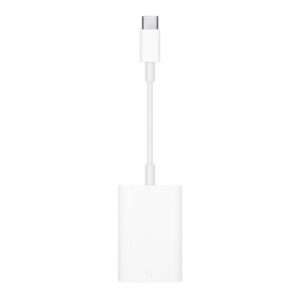
The USB-C to SD Card Reader transfers high-resolution photos and videos at UHS-II speeds to your USB-C enabled Mac, iPad, or iPhone. Designed so it won’t block your other ports, it works with UHS-II SD cards and is backward compatible with other SD cards and adapters.
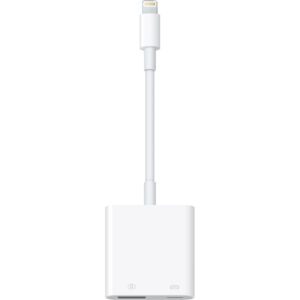
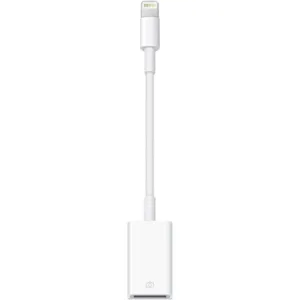
With the Lightning to USB 3 Camera Adapter, it’s easy to transfer photos and videos from your high-resolution digital camera to your iPad Pro. After you connect the Lightning to USB 3 Camera Adapter, your iPad Pro automatically opens the Photos app, which lets you choose photos and videos to import, then organises them into albums.
Add even greater capability and versatility to your iPad Pro by powering the Lightning to USB 3 Camera Adapter with a USB Power Adapter. Then you can connect USB peripherals like hubs, Ethernet adapters, audio/MIDI interfaces, and card readers for CompactFlash, SD, microSD and more.
The Lightning to USB 3 Camera Adapter supports standard photo formats, including JPEG and RAW, along with SD and HD video formats, including H.264 and MPEG-4. The 12.9-inch iPad Pro (1st and 2nd generation) and 10.5-inch iPad Pro transfer data at USB 3 speeds, while the 9.7-inch iPad Pro uses USB 2.