Need help?
+971 52 627 8695
MARTOOM
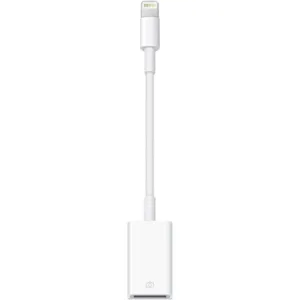
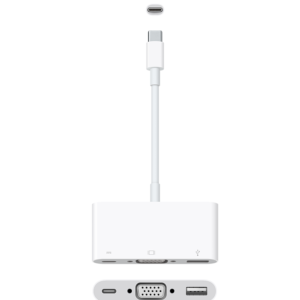
Apple Lightning to VGA Adapter
د.إ 152Connect a Mac that has a Thunderbolt 3 (USB-C) or USB-C port to a VGA display, while also charging your Mac and connecting to a USB-A device.
The USB-C VGA Multiport Adapter connects a Mac that has a Thunderbolt 3 (USB-C) or USB-C port to a display that uses a VGA cable. It also connects your Mac to USB-A devices and includes a USB-C port for charging your Mac laptop. All three ports can be used simultaneously.
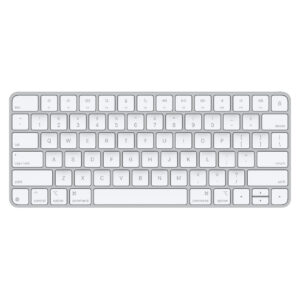
Apple Magic Keyboard for imac for Mac 11.3 or Later 2021
د.إ 305
Magic Keyboard delivers a remarkably comfortable and precise typing experience for Mac and Apple Vision Pro. It’s also wireless and rechargeable, with an incredibly long-lasting internal battery that will power your keyboard for about a month or more between charges.¹ It pairs automatically with your Mac, so you can get to work right away.
It features a USB-C port and includes a woven USB-C Charge Cable that lets you pair and charge by connecting to a USB-C port on your Mac, so you can charge all of your favorite devices with just a single cable.
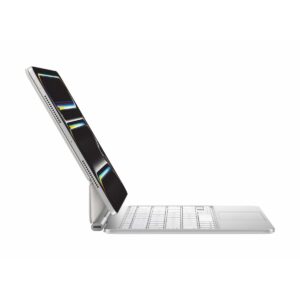
Apple Magic Keyboard for iPad Pro M4 & M5 11-inches (Arabic)
د.إ 1,100
Apple Magic Keyboard for iPad Pro M4 & M5 11-inches (Arabic)
Add to Compare
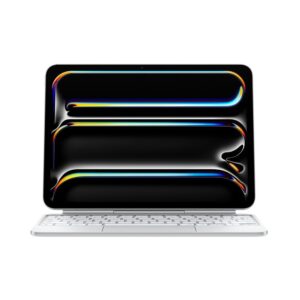
Apple Magic Keyboard for iPad Pro M4 & M5 11-inches English
د.إ 920
Apple Magic Keyboard for iPad Pro M4 & M5 11-inches English
Add to Compare

Apple Magic Keyboard for iPad Pro M4 11-inches English – White
د.إ 940
Apple Magic Keyboard for iPad Pro M4 11-inches English - White
Add to Compare
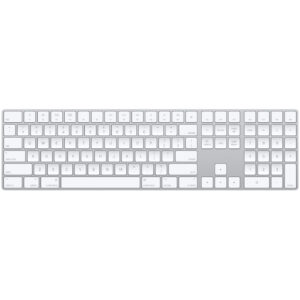
Apple Magic Keyboard with Numeric Keypad
د.إ 340
Magic Keyboard with Numeric Keypad features an extended layout, with document navigation controls for quick scrolling and full-size arrow keys for gaming. A scissor mechanism beneath each key allows for increased stability, while optimized key travel and a low profile provide a comfortable and precise typing experience. The numeric keypad is also great for spreadsheets and finance applications. And the built-in, rechargeable battery is incredibly long-lasting, powering your keyboard for about a month or more between charges.
Add to Compare
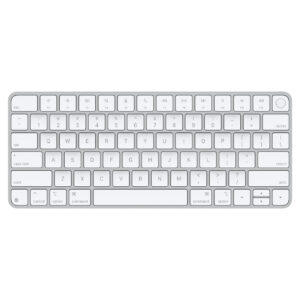
Apple Magic Keyboard with Touch ID (USB–C)
د.إ 475
Magic Keyboard is now available with Touch ID, providing fast, easy, and secure authentication for logins and purchases.
Magic Keyboard with Touch ID delivers a remarkably comfortable and precise typing experience. It’s also wireless and rechargeable, with an incredibly long-lasting internal battery that will power your keyboard for about a month or more between charges.¹ It pairs automatically with your Mac, so you can get to work right away.
It features a USB-C port and includes a woven USB-C Charge Cable that lets you pair and charge by connecting to a USB-C port on your Mac, so you can charge all of your favorite devices with just a single cable.
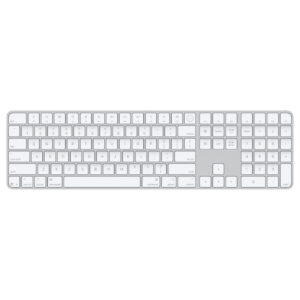
Apple Magic Keyboard with touch ID & Numeric Keyboards Type C
From: د.إ 590
Magic Keyboard is available with Touch ID, providing fast, easy, and secure authentication for logins and purchases.
Magic Keyboard with Touch ID and Numeric Keypad delivers a remarkably comfortable and precise typing experience. It features an extended layout, with document navigation controls for quick scrolling and full-size arrow keys, which are great for gaming. The numeric keypad is also ideal for spreadsheets and finance applications. It’s wireless and features a rechargeable battery that will power your keyboard for about a month or more between charges.¹ It pairs automatically with your Mac, so you can get to work right away.
It features a USB-C port and includes a woven USB-C Charge Cable that lets you pair and charge by connecting to a USB-C port on your Mac, so you can charge all of your favorite devices with just a single cable.
Apple Magic Keyboard with Type C Port
د.إ 325
Magic Keyboard delivers a remarkably comfortable and precise typing experience for Mac and Apple Vision Pro. It’s also wireless and rechargeable, with an incredibly long-lasting internal battery that will power your keyboard for about a month or more between charges.¹ It pairs automatically with your Mac, so you can get to work right away.
It features a USB-C port and includes a woven USB-C Charge Cable that lets you pair and charge by connecting to a USB-C port on your Mac, so you can charge all of your favorite devices with just a single cable.
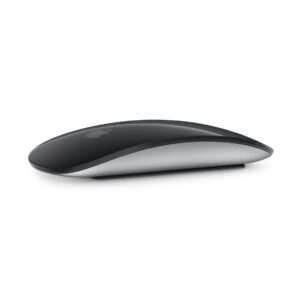
Apple Magic Mouse Type C with Multi Touch Surface
د.إ 325
Magic Mouse is wireless and rechargeable, with an optimized foot design that lets it glide smoothly across your desk. The Multi-Touch surface allows you to perform simple gestures such as swiping between web pages and scrolling through documents.
The rechargeable battery will power your Magic Mouse for about a month or more between charges. It’s ready to go right out of the box and pairs automatically with your Mac.
It features a USB-C port and includes a woven USB-C Charge Cable that lets you pair and charge by connecting to a USB-C port on your Mac, so you can charge all of your favorite devices with just a single cable.
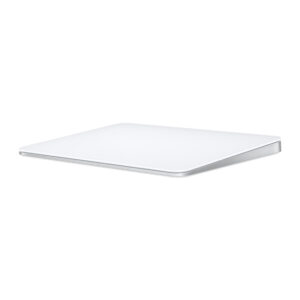
Apple Magic Trackpad Type C
From: د.إ 425
Magic Trackpad is wireless and rechargeable, and it includes the full range of Multi-Touch gestures and Force Touch technology. Sensors underneath the trackpad surface detect subtle differences in the amount of pressure you apply, bringing more functionality to your fingertips and enabling a deeper connection to your content. It features a large edge-to-edge glass surface area, making scrolling and swiping through your favorite content more productive and comfortable than ever.
Magic Trackpad pairs automatically with your Mac, so you can get to work right away. The rechargeable battery will power it for about a month or more between charges.
It features a USB-C port and includes a woven USB-C Charge Cable that lets you pair and charge by connecting to a USB-C port on your Mac, so you can charge all of your favorite devices with just a single cable.
Magic Trackpad works seamlessly with Apple Vision Pro for activities like arranging apps in 3D space or navigating complex spreadsheets.
Product Categories
Filter by price
Top Rated Products
-

-

-
 د.إ 690