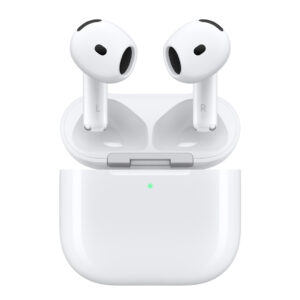
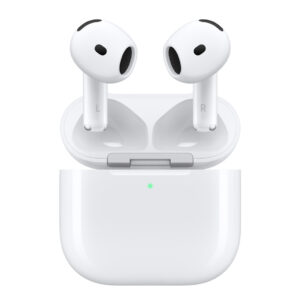
Introducing AirPods 4. Two models redesigned for exceptional fit and audio performance. Available with Active Noise Cancellation — a first for this design. The powerful H2 chip delivers clearer calls with Voice Isolation and a hands‑free way to interact with Siri. Footnote ²¹ Personalized Spatial Audio with dynamic head tracking places sound all around you. Footnote ⁷ Rated IP54 dust, sweat, and water resistant. Footnote ²³ USB‑C charging and up to 30 hours of listening time using the case. Footnote
Redesigned for exceptional fit and audio performance — and available with Active Noise Cancellation, Adaptive Audio, and Transparency mode for the first time in this design. The powerful H2 chip delivers clearer calls with Voice Isolation, the magic of Conversation Awareness, and a hands-free way to interact with Siri. Footnote ²¹ Personalized Spatial Audio with dynamic head tracking places sound all around you. Footnote ⁷ Rated IP54 dust, sweat, and water resistant. Footnote ²⁶ USB‑C charging and up to 30 hours of listening time using the case. Footnote ²⁷ The charging case includes a built‑in speaker for Find My to help you locate your AirPods 4. Footnote ²⁰ The case also supports wireless charging with an Apple Watch charger or Qi‑certified wireless chargers.
AirPods 4 with Active Noise Cancellation also feature Live Translation to help you communicate across languages, powered by Apple Intelligence.Footnote¹¹ It is supported in the following languages: Chinese (Mandarin, Simplified), Chinese (Mandarin, Traditional), English (UK, U.S.), French (France), German (Germany), Italian (Italy), Japanese (Japan), Korean (South Korea), Portuguese (Brazil), and Spanish (Spain).
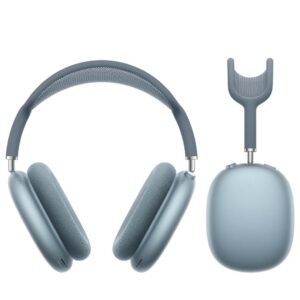
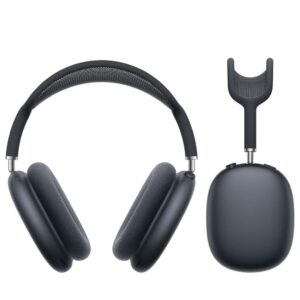
AirPods Max deliver stunningly detailed, high-fidelity audio for an unparalleled listening experience. Each part of the custom-built driver works to produce sound with ultra-low distortion across the audible range — so you’ll hear every note with a new sense of clarity.
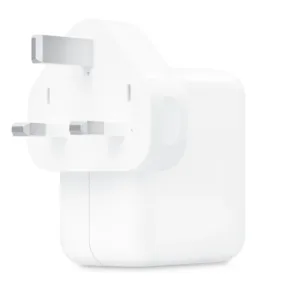
The 35W Dual USB-C Port Compact Power Adapter allows you to charge two devices at the same time, whether you’re at home, in the office, or on the go. The compact size and folding prongs make it easy to pack and store. Apple recommends using it with MacBook Air. You can also use it with iPhone, iPad, Apple Watch, and AirPods.
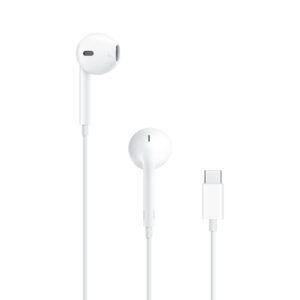
Unlike traditional, circular earbuds, the design of the EarPods is defined by the geometry of the ear. Which makes them more comfortable for more people than any other earbud-style headphones.
The speakers inside the EarPods have been engineered to maximize sound output which means you get high-quality audio.
The EarPods (USB-C) also include a built-in remote that lets you adjust the volume, control the playback of music and video, and answer or end calls with a press of the remote.
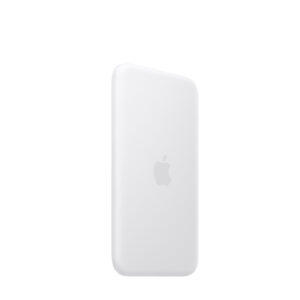
The iPhone Air MagSafe Battery was created exclusively for iPhone Air. Designed to slip into your pocket, it feels great in your hand and adds up to 65 per cent additional charge to iPhone Air — extending battery life further than that of any other iPhone.¹
Smart behaviour
Attach the MagSafe Battery to your fully charged iPhone Air for all-day use. To maximise battery life, the combined system will choose the best times to recharge. Or when you need a quick boost, just snap it on for up to 12W of fast wireless charging on the go.
Fast charging
For even faster charging of your iPhone Air, attach the MagSafe Battery and connect it to a 20W or higher power adapter at the same time.²
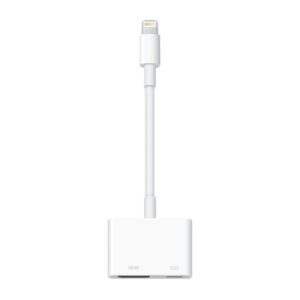
Use the Lightning Digital AV Adapter with your iPhone, iPad, or iPod with Lightning connector. The Lightning Digital AV Adapter supports mirroring of what is displayed on your device screen — including apps, presentations, websites, slideshows, and more — to your HDMI-equipped TV, display, projector, or other compatible display in up to 1080p HD.
It also outputs video content — movies, TV shows, captured video — to your big screen in up to 1080p HD. Simply attach the Lightning Digital AV Adapter to the Lightning connector on your device and then to your TV or projector via an HDMI cable (sold separately).
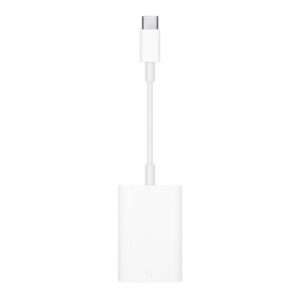
The USB-C to SD Card Reader transfers high-resolution photos and videos at UHS-II speeds to your USB-C enabled Mac, iPad, or iPhone. Designed so it won’t block your other ports, it works with UHS-II SD cards and is backward compatible with other SD cards and adapters.
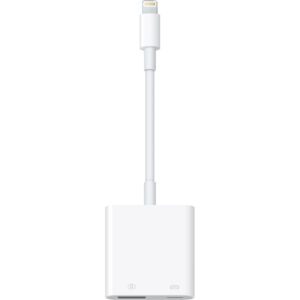
With the Lightning to USB 3 Camera Adapter, it’s easy to transfer photos and videos from your high-resolution digital camera to your iPad Pro. After you connect the Lightning to USB 3 Camera Adapter, your iPad Pro automatically opens the Photos app, which lets you choose photos and videos to import, then organises them into albums.
Add even greater capability and versatility to your iPad Pro by powering the Lightning to USB 3 Camera Adapter with a USB Power Adapter. Then you can connect USB peripherals like hubs, Ethernet adapters, audio/MIDI interfaces, and card readers for CompactFlash, SD, microSD and more.
The Lightning to USB 3 Camera Adapter supports standard photo formats, including JPEG and RAW, along with SD and HD video formats, including H.264 and MPEG-4. The 12.9-inch iPad Pro (1st and 2nd generation) and 10.5-inch iPad Pro transfer data at USB 3 speeds, while the 9.7-inch iPad Pro uses USB 2.